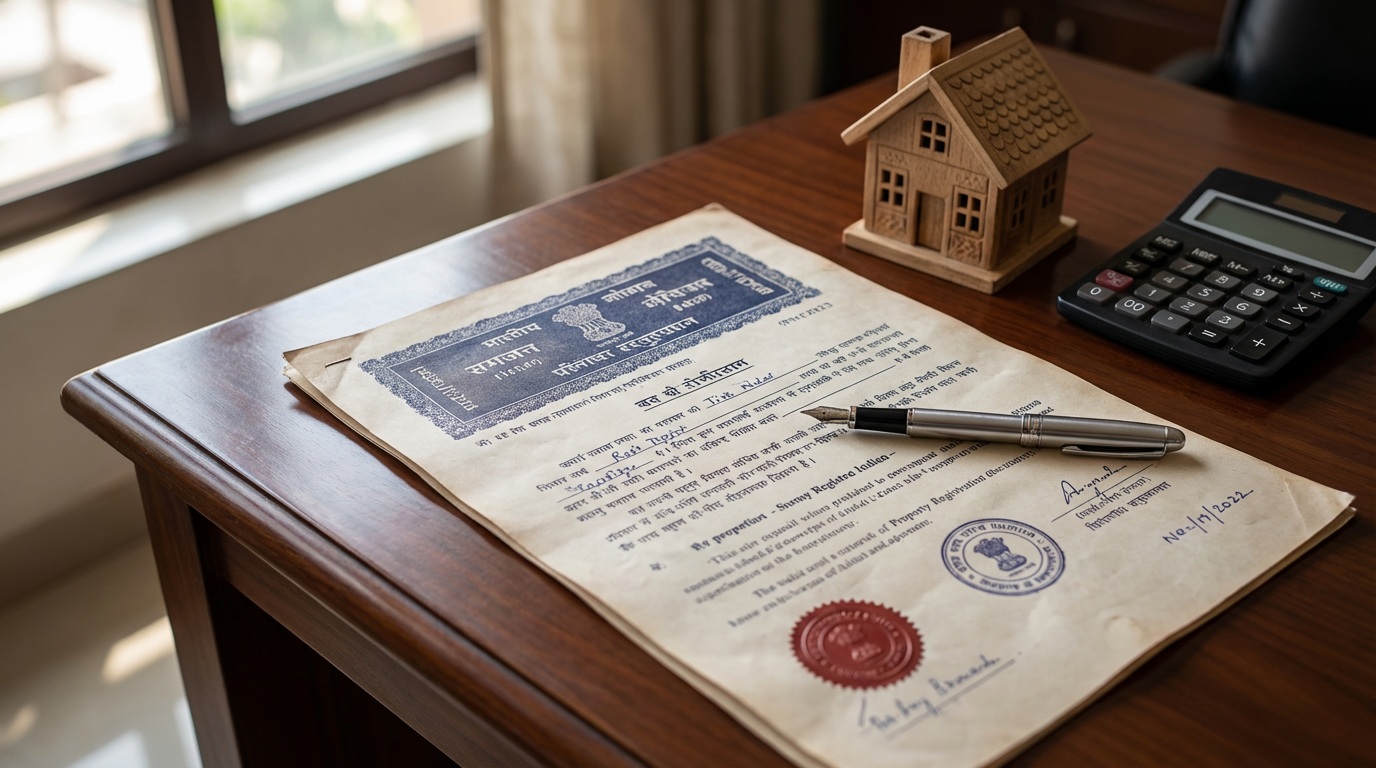
Quick answer: Maharashtra’s official Bhulekh portal lets you search and view your 7/12 extract (Satbara Utara) online free, using your District, Taluka, Village and Survey or Gat Number, or an 11-digit Property UID if you have one. That free copy is for viewing only and is not valid for official or legal purposes. If you need a copy that is legally valid, use the separate Digital Satbara portal, which issues a digitally signed 7/12 after login and payment, and offers its own facility for verifying an issued copy.
NaviMumbai.com is an independent information website and is not affiliated with the Maharashtra Revenue Department, Mahabhumi, or the Settlement Commissioner’s office. Use the official portals directly for your own record, and confirm current details there.
7/12 vs Property Card: Make Sure You Need This Record
A 7/12 extract (Satbara Utara) is the rural and semi-urban revenue land record, maintained village-wise under the talathi system. Do not choose the record type from a locality’s name or from whether a property is described as CIDCO-developed; check the identifiers and record references in your own property documents, then confirm the applicable record type with the relevant revenue or land-record office. If you’re not sure whether your property is a 7/12 or a Property Card, see our Property Mutation guide, and see our Property Card guide if this search doesn’t turn up your record.
Two Different Ways to Get a 7/12 Extract Online
Maharashtra runs two separate official portals for this record, and they serve different purposes:
| Portal | What you get | Valid for official/legal use |
|---|---|---|
| Bhulekh (bhulekh.mahabhumi.gov.in) | Free online view of your 7/12 details | No, per the portal’s own notice |
| Digital Satbara (digitalsatbara.mahabhumi.gov.in) | A digitally signed, downloadable 7/12, after login and payment | Yes, per the portal’s own notice |
Use the free view for an initial information check. If you need to submit a record somewhere, confirm the required format with whoever is asking for it and obtain the appropriate official copy instead, since a free Bhulekh printout is not accepted for official purposes.
A digitally signed extract is an official revenue record, but it does not, by itself, establish clear ownership or replace examination of the registered documents, relevant entries, and other title evidence for a property. Revenue records like a 7/12 are widely understood in Indian property law as not conferring title on their own; treat this record as one input into due diligence, not a substitute for it.
Preparing to Search: What You Actually Need
Use the revenue district, taluka, and village recorded in your documents, not a postal locality, housing-project name, or municipal ward, since these may not match the search labels used in the land-record system. Before you start, have ready:
- Revenue district, taluka, and revenue village
- Survey or Gat number, and subdivision if applicable
- The recorded holder’s name
- A previous extract or another property-document reference, if you have one
How to Search Your 7/12 Extract on Bhulekh
Checked directly on the official Bhulekh portal. Before the search fields, Bhulekh also asks whether you know an 11-digit Property UID; if you don’t have that identifier, use the location-based search route below instead. Don’t assume this UID is the same as a municipal property-tax number or any other identifier without confirming it.
- Open the official Bhulekh portal and select “7/12” as the record type (it’s listed alongside 8A, Property Card, and K-Prat).
- If you know your 11-digit Property UID, use that search route; otherwise, choose the location-based route.
- For a location-based search, select your District, then Taluka, then Village.
- Use the available Survey Number, Gat Number, or name-search option; the portal’s own interface also shows a separate “alphabetic Survey Number” option alongside the standard numeric one.
- Enter a mobile number and choose your preferred language for the displayed record; Bhulekh supports Marathi, English, Hindi, and several other Indian languages.
- Complete the captcha and submit, then check the resulting record against your own documents before relying on it.
The Bhulekh portal’s own interface is in Marathi; the language selector offers additional-script display through transliteration, not necessarily a full translation of every revenue term’s legal meaning. Where an entry is unclear, refer to the original Marathi record and seek clarification rather than relying on the transliterated version alone. We reviewed this search flow directly; we did not complete a search with a real Survey or Gat Number, so we can’t describe what the results screen shows beyond the record itself.
How to Read Your 7/12 Once You Have It
A matching name alone does not establish that you’ve found the correct parcel. Check the location, number, subdivision, and area together, using a worksheet like this:
| Detail to check | Compare against |
|---|---|
| District, taluka, and village | Your existing extract and property documents |
| Survey/Gat number and subdivision | The property schedule in your documents |
| Recorded names | The relevant transaction, inheritance, or other supporting records |
| Area and its unit | Your previous record and document schedule |
| Rights, restrictions, or other entries shown | Supporting entries, orders, and professional clarification where needed |
| Mutation references | The relevant mutation record and its status |
| Issue/download details | The copy you’re actually submitting and the recipient’s requirements |
We have not inspected your specific land or record; this worksheet is a comparison method, not a substitute for checking your own documents.
Official 7/12 Verification
Digital Satbara provides a separate 7/12 verification facility, distinct from downloading the record itself. It asks for the verification number associated with your issued record. We inspected the public verification form but did not submit a document for verification. Verifying that a specific issued copy is genuine and investigating whether a property has clear title are two different tasks; this facility only addresses the first.
Getting a Digitally Signed (Legally Valid) Copy
Digital Satbara is a separate portal from Bhulekh, run under the Settlement Commissioner, Maharashtra. Per the portal’s own notice, a digitally signed 7/12, 8A, or Property Card issued through it can be used for official and legal purposes, unlike the free Bhulekh view. To use it:
- Register as a new user, or log in if you already have an account (regular login or OTP-based login; the portal notes these use separate wallets, so a balance in one cannot be used from the other).
- Add funds to your account wallet through the portal’s payment gateway. Check the current document charge and wallet-funding requirements displayed by the portal before paying, since a wallet deposit and the charge for a single record aren’t necessarily the same amount.
- Search for and download your digitally signed 7/12 using the credit in your wallet.
The portal’s published refund policy treats deposited funds as a non-refundable advance for records; if you don’t receive a requested document, the amount can be used toward that or another document instead. Its detailed policy also addresses a specific case: if a receipt isn’t generated after a payment made via SBI ePay, the refund in that case follows SBI ePay’s own refund policy rather than the department’s general non-refundable rule. We reviewed the published policy directly but did not make a payment or test a refund claim ourselves.
If Your Online 7/12 Doesn’t Match Your Old Handwritten Copy
First confirm that both copies actually refer to the same village, Survey or Gat number, and subdivision; a difference doesn’t automatically mean the older copy is correct; it may mean you’re comparing two different records. If a genuine discrepancy remains for the same parcel, such as total area, unit of area, or the account holder’s name, Bhulekh’s own notice directs this toward a correction through the talathi via the e-Hakk system, by registering and logging in at Maharashtra’s mutation portal and uploading the old handwritten 7/12 with your application. See our Property Mutation guide for how e-Hakk mutation works after a registered transaction; this correction route is a separate process from that.
Before You Start
- Your Survey or Gat number, or your 11-digit Property UID if you have it, or enough details (District, Taluka, Village, and account holder’s name) to search by name instead
- A mobile number to enter on the search form
- For a legally valid copy: a Digital Satbara login and funds loaded into your portal wallet
If Something Goes Wrong
| Situation | What to check or do |
|---|---|
| Can’t find your Survey or Gat number | Check your sale deed or a previous 7/12 copy; ask the previous owner or your local talathi office |
| Search returns no record | Recheck the revenue village and subdivision selected, try the alternative search method (number vs name), and confirm the current identifier and record type with the relevant office; don’t infer ownership status or that a Property Card must exist instead from one unsuccessful search |
| Name search doesn’t match | Check for spelling differences, and try searching by Survey/Gat number instead if you have it |
| Online 7/12 doesn’t match an old handwritten copy | First confirm both copies concern the same parcel; if they do, this is a correction matter through the talathi via e-Hakk, not a search failure |
| Need a copy a bank or office will accept | Use Digital Satbara for a digitally signed copy; a free Bhulekh printout is not valid for that purpose, per the portal’s own notice |
| Bank reports payment success, but wallet balance is missing | Use Digital Satbara’s “Check Payment Status” option with your transaction’s PRN |
| Wallet was credited but the requested document wasn’t received | This is a different problem from a missing wallet credit; check your document request and the portal’s account guidance, and retain your transaction and request references |
Official Resources
- Free 7/12 / 8A / Property Card search: Bhulekh (bhulekh.mahabhumi.gov.in)
- Digitally signed, legally valid copies and record verification: Digital Satbara (digitalsatbara.mahabhumi.gov.in)
- Mutation and record correction: bhumiabhilekh.maharashtra.gov.in
Related Reading
- Property Card guide, if this search doesn’t turn up your property
- Property Mutation guide, for updating or correcting a record
- Index II guide, for registration-index records, which serve a different purpose than this revenue record
Frequently Asked Questions
Is the free 7/12 copy from Bhulekh valid for official use?
No. Bhulekh’s own notice states the information shown cannot be used for government or legal purposes. For a copy that is valid, use the digitally signed version from Digital Satbara.
What do I need to search for my 7/12 extract on Bhulekh?
Your District, Taluka, and Village, plus either your Survey or Gat number or the account holder’s name, or an 11-digit Property UID if you have one, a mobile number, and completing the captcha.
How is a 7/12 extract different from a Property Card?
A 7/12 extract is the rural/semi-urban revenue record maintained village-wise; a Property Card is the urban land record maintained under the City Survey system. Don’t assume which one applies from a locality’s name; check your property documents, and see our Property Mutation guide to identify your record type.
What if my online 7/12 doesn’t match an old handwritten copy?
First confirm both copies refer to the same village, Survey/Gat number, and subdivision. If a genuine discrepancy remains, Bhulekh directs this to a correction process through the talathi via the e-Hakk mutation system, where you upload the old handwritten 7/12 with your application.
How much does a digitally signed 7/12 cost, and is the payment refundable?
Digital Satbara uses a prepaid wallet and payment gateway; check the current document charge and wallet-funding amount shown at checkout. Deposited funds are generally treated as a non-refundable advance, though the portal’s detailed policy addresses a specific case where a receipt isn’t generated, which follows SBI ePay’s own refund policy instead.
Does a digitally signed 7/12 prove clear ownership?
No. It is an official revenue record, but it does not by itself establish clear title. Review the relevant registered documents, entries, and other supporting evidence before relying on it for a property transaction.
Sources & Verification Date
Sources checked on 29 September 2026, through direct navigation of Maharashtra’s own official land-record portals: the Bhulekh portal, confirming its record-type selector, the Property UID option, the District/Taluka/Village/Survey-Gat Number search fields for 7/12, the language options, the Marathi-only site notice, the discrepancy-correction notice for old handwritten copies, and the “not valid for government or legal purposes” disclaimer directly; and the Digital Satbara portal, confirming its login options, wallet/payment structure, its detailed refund policy including the SBI ePay receipt exception, its separate “Check Payment Status” and 7/12 verification facilities, and its “valid for official and legal purposes” notice directly. We reviewed these official pages directly; we did not complete a search with a real Survey or Gat Number, register an account, make a payment, or submit a document for verification on either portal. The statement that revenue records do not by themselves establish clear title reflects a general, widely reported principle in Indian property law rather than a citation to a specific case we independently reviewed.
About This Image
Illustrative AI-generated landscape. The boundary lines are decorative and do not represent an official land survey or a specific Navi Mumbai property.