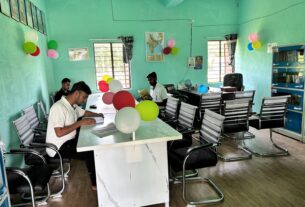

Photo: Ganesh Dhamodkar from Nagpur, India, Wikimedia Commons, CC BY-SA 2.0. Kothari Primary Middle and High School, Nandura, Maharashtra. This is an illustrative photo of a Maharashtra school.
Quick answer: APAAR is a 12 digit academic ID. For school students, the school verifies the student’s details, records the required parental consent and generates the ID through UDISE+. Once generated, the card is available in the student’s DigiLocker Issued Documents. If it is missing or contains incorrect details, ask the school to check the generation status and the underlying records (official APAAR FAQ and official advisory).
This is a researched guide and not an official notice. This site is not affiliated with the Ministry of Education, UDISE+ or DigiLocker. This guide covers school students. Higher education and Academic Bank of Credits services may follow different institutional workflows. Rules and portal steps change, so confirm with your school and the APAAR website.
APAAR, PEN, UDISE+, DigiLocker and ABC explained
| Term | Meaning in this guide |
|---|---|
| APAAR | Automated Permanent Academic Account Registry: the student’s 12 digit academic identifier, part of One Nation, One Student ID |
| PEN | Permanent Education Number: the student identifier kept in UDISE+, which is mandatory in the school generation process |
| UDISE+ | The school and student information system that schools use to verify details and generate the ID |
| DigiLocker | The platform where the issued APAAR card and other issued documents can be accessed |
| ABC | The Academic Bank of Credits, the academic credit system linked with APAAR |
The official FAQ describes APAAR as a permanent digital identity that is meant to hold marksheets, certificates and co-curricular achievements in one place, and lists admissions, scholarships and transfers between schools among its uses (APAAR FAQ). Having an APAAR ID does not automatically make every marksheet available. Document availability also depends on the issuing institution.
Is APAAR compulsory?
The Ministry’s information sheet says APAAR is not mandatory and that there is no legal requirement to use it (APAAR Important Information). Its misconceptions sheet adds that APAAR is not mandatory for getting government schemes (APAAR misconceptions sheet). If a school or form asks for the ID, ask what it needs and by when.
School creation and consent
For school students, APAAR creation is handled through the school’s UDISE+ process after verification and the required consent. The Ministry’s process flow sheet sets out the steps (APAAR process flow):
- The school holds a parent-teacher meeting to explain APAAR and hands out the consent form.
- A parent or guardian fills in and signs the form. The school keeps the physical copy and records the consent on UDISE+.
- The school’s UDISE+ coordinator or class teacher checks the student’s details only for students whose consent has been received.
- The ID is generated and sent to the student’s DigiLocker account. A confirmation SMS goes to the mobile number registered in UDISE+.
- The school shares the ID with the student and parents.
The consent forms are on the official resources page, including the parental consent form for generation (English form). The process runs through the school, and parents do not need to pay anyone for it. Official APAAR material describes the parent’s consent as given voluntarily.
The FAQ gives two prerequisites: the student’s name in UDISE+ must match the name on the Aadhaar, and the PEN is mandatory (APAAR FAQ). The details required are the PEN, the student’s name, date of birth and gender, a mobile number, the mother’s and father’s names, and the name as per Aadhaar with the Aadhaar number. The information sheet says an APAAR ID cannot be created without a valid Aadhaar. For a child who has none, it points parents to Aadhaar enrolment centres and Aadhaar Seva Kendras. See our Aadhaar centres in Navi Mumbai for local options.
Download the APAAR card from DigiLocker
The stable route is to open the student’s DigiLocker account and check Issued Documents for the APAAR card. Sign in screens can change, so follow the order DigiLocker shows you:
- Open the official DigiLocker app or website (digilocker.gov.in).
- Sign in to the student’s account using the available authentication method.
- Complete the verification shown on screen.
- Open Issued Documents.
- Select the APAAR card and download it where available.
The official advisory says the OTP goes to the Aadhaar linked mobile number, which may be a parent’s (APAAR general advisory). A parent’s mobile number receiving the child’s OTP does not mean the card belongs in the parent’s own account. If you cannot see the card, the advisory suggests searching for “APAAR” in the Search Documents section and choosing APAAR ID (Academic Bank of Credits). DigiLocker also lists an APAAR ID page (DigiLocker APAAR page). Our DigiLocker marksheet guide for Maharashtra covers other issued documents such as board marksheets.
If the card is missing: check the generation status
According to the FAQ, the ID is pushed to DigiLocker as soon as it is generated, and the school can see each student’s APAAR status on the UDISE+ portal under the APAAR module. Ask the school to check the status, and for the PEN and the error message if generation failed. The FAQ says an error message shows the problem, such as a mismatch with Aadhaar.
Correcting details
Generation failure and correction after an ID already exists are different situations. First work out which record is wrong, because a mismatch does not mean the school record is the one at fault.
| Problem | First action |
|---|---|
| Incorrect school or UDISE+ details | Ask the school’s UDISE+ coordinator to check and correct the record |
| Incorrect Aadhaar details | Use the applicable UIDAI correction process (see our Aadhaar centres in Navi Mumbai), then ask the school to retry |
| Generation failed | Ask the school for the error message and the failed field details |
| ID generated but absent from DigiLocker | Check the account and its Aadhaar linkage, and raise a support query if needed |
| Card still shows old details after a correction | Refresh from DigiLocker as the advisory describes: open APAAR ID (Academic Bank of Credits), enter the Aadhaar number, proceed for eKYC and download again. Re-downloading the PDF does not itself correct a record |
| Changed school | Ask the new school’s UDISE+ coordinator to update the UDISE+ record, then download the card again |
Ask the school to identify the mismatch. Correct the inaccurate source record through the appropriate authority, then ask the school to retry or follow the prescribed update process. The Ministry’s parent form also covers modification of the name, date of birth or gender, and it is submitted to the school, which verifies it on UDISE+ (official form). The form says a correction is allowed only when the UDISE+ and Aadhaar records support it, that the APAAR ID itself stays the same, and that an unresolved mismatch will not be processed. The process sheet says the school may send parents to a Common Service Centre for corrections.
Withdrawal, deactivation and cancellation
These are separate options on the Ministry’s parent form (official form), which is submitted to the school and verified on UDISE+.
| Option | What the form says |
|---|---|
| Consent withdrawal (deactivation) | A parent can withdraw consent, which deactivates the ID. After submission to the school there is a 45 day window in which the request can be revoked by a written request to the Head of School. Withdrawal is permitted only once for an ID |
| Reactivation | A request can be raised only after 90 days from the actual date of deactivation. After reactivation, a mandatory administrative cooling off period of 90 days applies before any further lifecycle processing |
| Cancellation | Allowed only in the case of a deactivated Aadhaar ID. The existing APAAR ID is archived and processing of personal data on that ID stops |
Withdrawal does not by itself delete the account or its records. The official privacy policy describes account deletion requests separately, and says APAAR and its integrated services retain certain records for legal and compliance purposes and for logs (APAAR privacy policy). Ask the school before signing any form.
Help and local checklist
For APAAR queries, use the official APAAR contact page, which links a query facility and lists the helpline 1800 889 3511. For problems signing in to DigiLocker, use DigiLocker support separately. Some applications now ask for the number. The Maharashtra scholarship exam form asks for the student’s APAAR ID, as covered in our Maharashtra scholarship exam guide. For admissions and school choice, see our guide to schools in Navi Mumbai. In Navi Mumbai, a practical checklist for parents:
- Ask the school for the student’s PEN and APAAR generation status.
- Confirm which record needs correction.
- Obtain the current consent or correction form from the school.
- Keep an acknowledgement of any request you submit.
How this guide was checked
- The meaning, process, prerequisites, required details and status check come from the official APAAR FAQ and home page, read on 17 November 2026.
- Download and update steps come from the general advisory PDF on the resources page, which shows an earlier version of the screens.
- Process, consent and Aadhaar points come from the process flow, important information and misconceptions sheets.
- Correction, withdrawal, reactivation and cancellation rules come from the Ministry’s parent form, read directly on 17 November 2026, and the privacy policy.
Frequently Asked Questions
What is the APAAR ID?
A 12 digit academic ID for students, part of One Nation, One Student ID. It links to DigiLocker and the Academic Bank of Credits.
How do I get an APAAR ID for my child?
For school students, the school verifies the details, records the parent’s consent and generates the ID through UDISE+. It then appears in the child’s DigiLocker Issued Documents.
Is APAAR compulsory?
No. The Ministry’s information sheet says it is not mandatory and that there is no legal requirement to use it.
How do I download my APAAR ID card?
Sign in to the student’s DigiLocker account, complete the verification shown on screen, open Issued Documents, select the APAAR card and download it where available.
Can an APAAR ID be made without Aadhaar?
No. The Ministry’s information sheet says a valid Aadhaar is required. Children without one are advised to enrol for Aadhaar first.
What if my child’s name differs between the school record and Aadhaar?
Generation can fail, because the UDISE+ name must match the Aadhaar name. Ask the school to identify the mismatch, correct the inaccurate source record through the appropriate authority, then ask the school to retry or follow the prescribed update process.
Whom do I contact for APAAR help?
The school first. For APAAR queries, use the official contact page, which links a query facility and lists 1800 889 3511. Use DigiLocker support for sign in problems.
Can a parent withdraw consent?
Yes. The Ministry’s form lets a parent withdraw consent, which deactivates the ID. There is a 45 day window to revoke the request, withdrawal is allowed once per ID, and reactivation can be requested only after 90 days from deactivation.
Does withdrawal delete the APAAR account and its records?
Not by itself. The privacy policy describes account deletion requests separately and says certain records are retained for legal, compliance and logging purposes.
Does having an APAAR ID make every marksheet available?
No. Document availability also depends on the issuing institution.
Sources
| Point | Source |
|---|---|
| What APAAR is, how to obtain it, prerequisites, status | APAAR FAQ and APAAR home page |
| Forms and documents | APAAR resources page |
| Download and update steps | General advisory PDF |
| School process steps | Process flow PDF |
| Mandatory, Aadhaar and consent | Important information PDF and Misconceptions PDF |
| Modification, withdrawal and cancellation form | Parent form |
| Data retention and deletion | APAAR privacy policy |
| Help | APAAR contact page and DigiLocker support |
Checked 17 November 2026. Portal steps and rules change, so confirm with your school and the APAAR website.
NaviMumbai.com is an independent information site and is not affiliated with any government body.