
Navi Mumbai may suit remote workers who can match their accommodation, internet connection and travel needs to a specific location. The useful question is not which neighbourhood is best overall, but whether a particular home and workspace will support your working day.
This guide helps you compare locations, test internet and backup arrangements, and calculate your own costs before committing. It does not assume that every building has reliable broadband, that a café permits extended laptop use, or that a coworking centre offers the same access under every plan.
Compare Areas Against Your Actual Routine
The table below is a comparison framework, not a ranking. No area here is labelled the cheapest, the best or universally walkable. Use it to narrow down which part of Navi Mumbai deserves a closer look based on where you will actually work, meet people and travel to.
| Area to compare | Relevant planning question | What to verify before choosing |
|---|---|---|
| Vashi | Does the specific home provide a practical route to the workspace and transport you will use? | Building location, station access, noise and the actual workspace address |
| Nerul and Seawoods | Can you organise work and everyday needs around the particular residential pocket? | Walking routes, broadband installation, nearby workspace access and evening conditions |
| CBD Belapur | Does the address work for your appointments and onward journeys? | Railway and Metro access separately, last-mile travel and workspace opening arrangements |
| Kharghar | Does your routine suit the sector and building you are considering? | Distance to the relevant station, daily travel costs and alternatives during disruption |
| Airoli and Ghansoli | Are your meetings or chosen workspace in this part of Navi Mumbai? | Exact office location, travel route and return options after late calls |
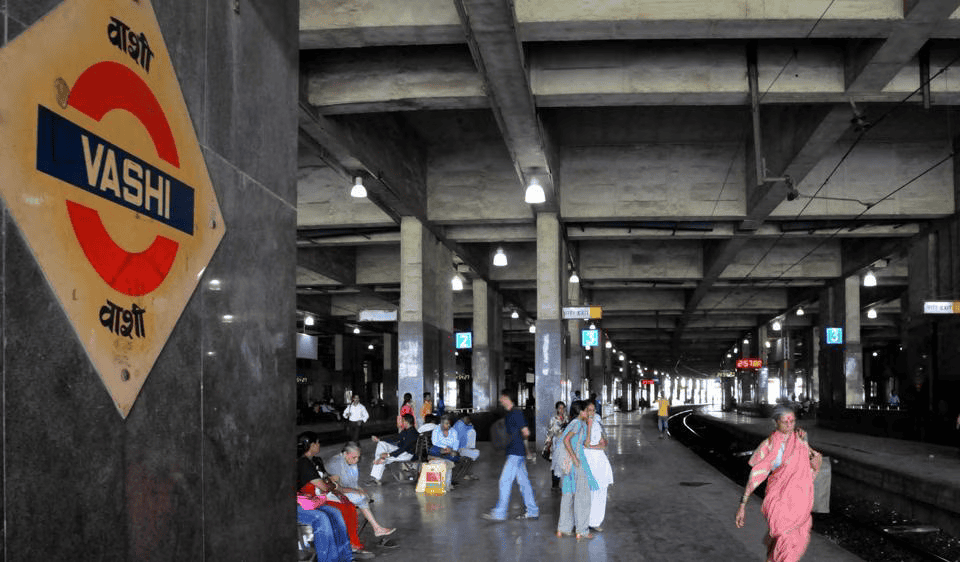
Vashi
Vashi mixes housing, retail and a couple of coworking addresses. Check the specific building’s distance to the station you will use, whether it gets road or construction noise during working hours, and how far your chosen workspace really is from where you sleep, rather than assuming the whole node is walkable.
Nerul and Seawoods
These are largely residential pockets with a railway station each. Confirm broadband installation is possible at the specific building, map a realistic route to groceries and food, and check what a nearby workspace or client meeting would actually involve, rather than assuming a uniformly convenient stretch.
CBD Belapur
CBD Belapur has railway and Metro access, but they are separate systems with separate stations and schedules. Check both independently for your likely journeys, and confirm last-mile travel and opening hours for any workspace here.
Kharghar
Kharghar spreads across numbered sectors that can differ meaningfully in distance to the station and in day-to-day noise. Check the specific sector and building, your daily travel cost, and your alternative route if that connection is disrupted.
Airoli and Ghansoli
This stretch has a cluster of business parks and at least one coworking address covered later in this guide. If your meetings or workspace are here, check the exact office location, the realistic travel route from your accommodation, and how you would get back after a call that runs late.
Getting to and from Mumbai: What the Systems Actually Cover
Navi Mumbai Metro Line 1 serves the Belapur to Pendhar corridor. Do not treat it as a direct Metro service into Mumbai. Plan any onward journey separately using the appropriate suburban railway, bus or road connection.
Official CIDCO material identifies the Belapur to Pendhar corridor. However, its project page retains old construction wording, so do not reuse that page as evidence of current operating hours or construction status.
Keep suburban trains, Navi Mumbai Metro and road crossings clearly distinguished throughout your own planning. They are separate systems with separate schedules, and a single journey may use more than one of them. For the suburban-railway part of a journey, see our local train guide to plan the route and timing.
Atal Setu: What It Actually Connects
Atal Setu connects Sewri on the Mumbai side with the Nhava Sheva side, terminating near Chirle. Its existence does not establish a uniform journey time from every Navi Mumbai neighbourhood.
Atal Setu may be relevant to some road journeys. Compare the complete route from your accommodation to your destination, including access roads, tolls and the return journey.
Do not expect quick access to BKC, Bandra, Powai or central Mumbai without checking the specific route yourself.
What Cheaper Accommodation Can Actually Cost You
Accommodation that costs less further from your workspace or client meetings can still work out more expensive once travel is added in. Rather than assuming a fixed saving disappears in fares, work it out for your own situation.
Monthly travel cost = expected return trips × estimated cost per return trip, plus any separate passes, parking or tolls not already included.
Record your travel time separately from the cost. A cheaper home that costs you an extra hour a day is a different trade-off from one that costs you an extra ten minutes, even if the rupee difference looks similar on paper.
Coworking Options Worth Enquiring About
A handful of coworking operators have a genuine, checkable presence in Navi Mumbai. Rather than list every name that comes up in a search, this section covers two whose addresses are listed on the operator’s own site.
TriggerXchange, Vashi: the operator’s own location page lists two addresses in Sector 19D, Vashi: Bhanti Solitaire and Chartered House. Treat them as separate addresses within the same area rather than one location, and confirm which one your booking or visit actually refers to.
Innov8, Ghansoli: the operator’s official Q Parc page identifies the centre as Building Q2, Aurum Q Parc, Thane Belapur Road, Ghansoli. Do not relabel this centre as Airoli, and do not assume it offers a single-seat day pass; confirm current plan types directly with the operator before visiting.
For a wider comparison across more operators, locations and plan types, see our dedicated coworking guide, which covers this in more depth than is useful to repeat here.
Before You Buy a Coworking Plan
- Is a single seat or day pass available?
- Which days and hours does that plan permit?
- Are reception and support staffed during those hours?
- Are calls allowed at the desk?
- Are private rooms included, chargeable or unavailable?
- What internet and power-backup arrangements cover the actual workspace?
- What are the cancellation and renewal terms?
Building access, member access and staffed hours are three different things.
Checking Broadband at the Actual Address
Jio and Airtel both provide an address-based availability and feasibility process for a new connection, rather than a blanket promise of coverage across a neighbourhood. Check serviceability for the exact building and flat before paying a housing deposit. Confirm whether the offered service is wired fibre or fixed wireless, what installation is required, and which charges and conditions apply.
Treat these two as examples of providers with address-based availability checks, not as a claim that every provider covers every building. If you want to identify which utility providers actually serve a specific property in Navi Mumbai more broadly, our utilities guide covers electricity, water and gas providers in more detail.
Test Your Own Working Day Before You Rely On It
Ask the host’s permission, then test these from the actual desk you intend to use.
- A video call from the intended desk.
- Uploading a representative work file.
- Your required VPN or work application.
- Connection performance during your actual working hours.
- Wi-Fi reception in the room they will use.
- A mobile-data fallback in the same room.
Record the test date and location. An advertised download speed is not a guarantee of call quality, and there is no single minimum speed that suits every remote worker’s actual tasks. Do not expect a fixed installation turnaround; ask the provider for a specific date instead.
Mobile Coverage: Map Versus Room
Treat a coverage map as a starting point, not a guarantee. Indoor and multistorey-building performance can vary within a mapped coverage area, so test your own phone and network inside the accommodation, especially at the desk where you intend to work. A second SIM or carrier is a fallback worth testing, not a guarantee against every outage.
Power Backup: Ask What It Actually Covers
A building having some form of backup power does not mean your desk, router or laptop charger is on that circuit. Ask specifically before assuming anything.
| Backup arrangement | Question to ask |
|---|---|
| Building generator | Does it supply the flat or only common areas and lifts? |
| Inverter or UPS | Which sockets and devices are connected? |
| Router backup | Does the internet equipment remain powered? |
| Provider network | Can the connection still fail beyond the building? |
| Coworking backup | Which facilities remain available during an outage? |
Ask about the actual backup duration under the load you would place on it.
Checking the Accommodation Itself
- Usable desk and chair.
- Socket locations and lighting.
- Noise during calls and intended sleep hours.
- Ventilation or cooling arrangements and their cost.
- Broadband installation permission.
- Housemate or household expectations.
- Building rules relevant to visitors and the intended use.
- Deposit, notice, cancellation and furnishing inventory.
- A practical alternative workspace if the home setup fails.
Ordinary remote employment and running a client-facing business from a residence are not the same thing and do not carry the same requirements; check which situation actually applies to you. If a shared arrangement suits your budget better than a self-contained flat, our PG and flatmate guide covers the specific checks worth doing for shared accommodation.
Building Your Own Monthly Budget
Fill this in with dated quotations and your own expected spending rather than a figure that looks like local market evidence.
| Monthly cost | Your estimate | Evidence or inclusion check |
|---|---|---|
| Accommodation | Dated quote for the actual property | |
| Maintenance | Included in rent or separate? | |
| Electricity and other utilities | Billing basis and previous bills where available | |
| Home internet | Plan, taxes and equipment terms | |
| Mobile fallback | Data allowance and cost | |
| Workspace | Plan, access and additional charges | |
| Food and household spending | Based on your own routine | |
| Travel | Expected trips and transport modes | |
| Optional leisure and memberships | Only what you expect to use | |
| Contingency | Your chosen allowance |
Cash You Need Upfront, Separate From the Monthly Budget
- Housing deposit.
- Advance rent.
- Brokerage, if applicable.
- Agreement-related charges, as applicable and quoted.
- Moving costs.
- Desk, chair or other setup purchases.
- Internet installation or equipment payments.
- Workspace deposit, if applicable.
A refundable deposit still affects the cash needed to move, but should not automatically be counted as a recurring monthly expense. Record its refund conditions separately, and check whether your accommodation already includes utilities or internet before adding them again in your monthly budget.
Test a Working Day Before You Commit
| Check | What to record |
|---|---|
| Work call | Audio, video, interruptions and privacy |
| Internet fallback | Whether it works from the same desk |
| Room conditions | Noise, light, cooling and seating |
| Necessary journey | Actual route, time and cost |
| Alternative workspace | Confirmed access and booking conditions |
| Evening routine | Return transport, food access and building entry |
Treat this as an optional inspection where arrangements allow it. Do not assume a landlord or workspace operator offers a free trial; ask rather than expect one.
Cafés and Coffee Shops in Navi Mumbai
A café’s address does not establish permission to work there for a full day. Before treating any café as an occasional workspace, confirm its laptop policy, seating availability, power sockets and Wi-Fi, call etiquette, and any time limit or minimum purchase requirement. Our cafés and coffee shops in Navi Mumbai guide lists branch-level details, but a listing there does not guarantee every branch suits a full working session.
Before You Commit
This guide draws on published provider information and offers a checklist for assessing your own accommodation and work setup. Confirm availability, access and written terms directly before committing.
For time away from work, choose an outing around your starting location, available time and current access conditions. Check our local outing ideas before travelling, particularly during the monsoon. And if you are relocating more broadly rather than testing a short working stay, our guide to moving to Navi Mumbai covers the wider relocation steps this article does not.
Official portals named in this guide: CIDCO.
Frequently Asked Questions
Is Navi Mumbai suitable for digital nomads and remote workers?
It may be suitable if the specific accommodation, internet connection and travel arrangements match your working routine. Check the property and workspace directly rather than relying on citywide promises about cost, connectivity or reliability.
Which area in Navi Mumbai should I choose for remote work?
Compare locations against your actual meetings, transport needs and preferred workspace. Vashi, Nerul, Seawoods, CBD Belapur, Kharghar, Airoli and Ghansoli contain different residential and commercial pockets. Assess the exact address rather than treating an entire area as the best or cheapest.
How much should I budget for a remote working stay?
Build a budget from current accommodation and workspace quotations, your expected bills and your own travel and food spending. Keep deposits and setup payments separate from recurring monthly costs, and check which services are already included.
How can I check internet availability before moving?
Ask providers to check the complete address and confirm the connection type and installation requirements. Where access is available, test a call, file upload and required work applications from the intended desk during your normal working hours.
Can mobile data serve as my backup connection?
It can be a useful fallback if it works reliably inside the property and has a suitable data allowance. Test your own device and network in the room you will use. A coverage map alone does not establish indoor performance.
Can I work from cafés instead of renting a coworking desk?
Ask each café about laptop use, calls, seating, sockets and any time or purchase conditions. A café listing does not guarantee a suitable workspace. Keep another option available for confidential calls or work that needs a predictable environment.
Does Navi Mumbai Metro provide a direct service into Mumbai?
Navi Mumbai Metro Line 1 serves the Belapur to Pendhar corridor. Plan any onward journey into Mumbai separately using the appropriate suburban railway, bus or road connection. Include transfers and the journey between your accommodation and the station.
What should I check about power backup?
Ask which devices and sockets receive backup power, how long it is expected to last and whether the internet equipment remains connected. A generator serving lifts or common areas does not necessarily supply your room or keep your internet service working.